> For the complete documentation index, see [llms.txt](https://docs.overtime.io/llms.txt). Markdown versions of documentation pages are available by appending `.md` to page URLs; this page is available as [Markdown](https://docs.overtime.io/deposits-and-withdrawals/deposit-from-exchange/deposit-usdc-from-coinbase.md).
# Deposit USDC from Coinbase
## **If you don’t have USDC on Coinbase**
**Step by step guide how to acquire USDC on Coinbase before depositing to Overtime**
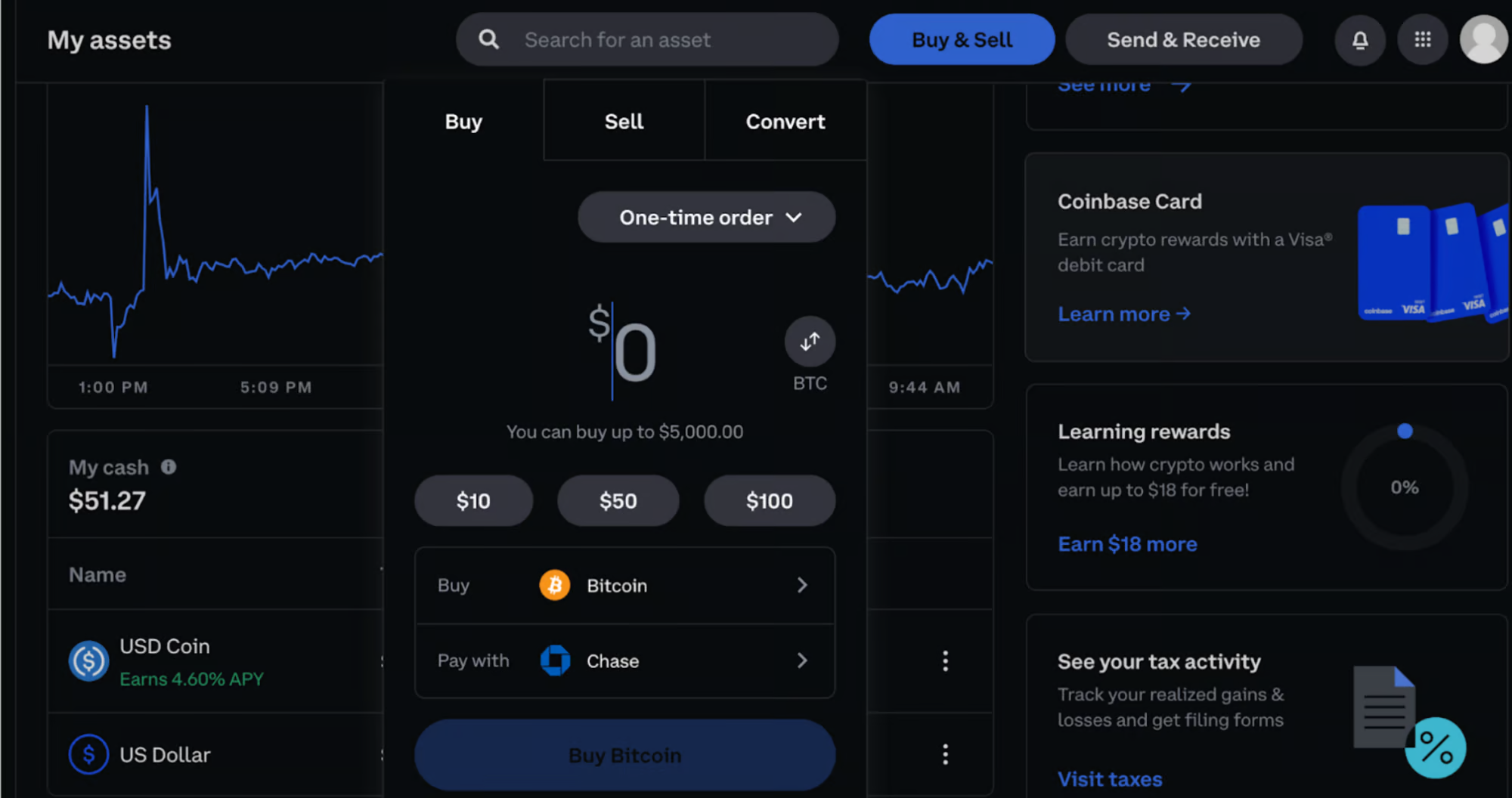
#### 1. Click **‘Buy & Sell’** on the Coinbase homepage.
2. Click **‘Buy’** then under *Select Asset*, click **USD Coin (USDC).**
3. **Enter an amount & connect a payment method under ‘*****Pay with’.***
4. Click **‘Preview Buy’**, review the *Order Preview,* then click **Buy Now.**
5. You’ll see a “*Your order was submitted”* screen, then will receive a confirmation email when your USDC purchase is successful.
## **You have acquired USDC on Coinbase**
1. 1\. Click **Send & Receive.**
2. Under *Asset*, select **USD Coin.**
3. **Enter the amount** you wish to deposit to Overtime.
4. **Under ‘*****to*****’, enter your Overtime deposit address.** You can find yours on the Overtime Deposit Page. Then **click ‘*****Continue’***.
Note that the address pictured below is just an example. Please only copy your own address, which is on the deposit page.
4. Under ‘*Network*’, select **OPTIMISM or ARBITRUM or BASE.**
{% hint style="danger" %}
### ⚠️ Important: Do NOT SEND FUNDS FROM "ETHEREUM DEFAULT" to your Deposit address or your funds might be LOST!
MAKE SURE to SELECT EITHER OPTIMISM, ARBITRUM or BASE NETWORKS WHEN WITHDRAWING!
{% endhint %}
6. Click **Send Now** and wait for your your deposit to land on Thales Markets Deposit page (usually in a couple minutes).
7. You are now ready to trade on Overtime!
docs.overtimemarkets.xyz/overtime-market-guide/how-to-use-overtime
{% hint style="info" %}
### To learn how to use Overtime, visit this Overtime Guide page: [docs.overtime.io/get-started/how-to-bet](https://docs.overtime.io/get-started/how-to-bet)
{% endhint %}


.png?alt=media&token=000f08c7-072e-49b3-b27c-c61773094755)
.png?alt=media&token=f9b0966f-ff7d-41d8-a75c-12332cc3f71d)
